 MLOps overview
MLOps is the set of practices for taking a trained model out of a notebook and operating it: a project structure that scales, tracked experiments, versioned data, the model served as an API in a container, a build and deploy that runs itself, and the drift you watch once real traffic reaches it.
Last updated: 19 Oct, 2026 · MLOps
The name is machine learning plus operations, the same way DevOps is development plus operations. The end-to-end project video makes the shape of the work visible before a line of model code is written: it starts with a GitHub repository, then a script that creates the project folders, then logging, exceptions and config, and only then the components that read data and fit a model. The model is one stage among many, and the rest of the stages are what this course teaches.
The video says AIOps where this course says MLOps; the two names are used for the same practice, and MLOps is the one this course keeps to.
What you will build
One example grows through the course: a student-performance service that predicts a maths score from a student record. The dataset is the one from the end-to-end machine learning project repository, loaded straight from its URL, so nothing is downloaded by hand. It starts as a folder tree and a logger, becomes a pipeline of components driven by config, then gets tracked runs in MLflow, versioned data in DVC, a FastAPI service, a Docker image, a GitHub Actions workflow and a drift report. Every metric, log line and image on these pages comes from a real run of that project.
Alongside it sits the kidney-disease classifier the end-to-end deep learning video deploys. That project is the worked case: where it appears, its code carries its own saved output and is captioned as such, because the course installs no deep learning stack and downloads no model weights. The student-performance service is the one you run yourself.
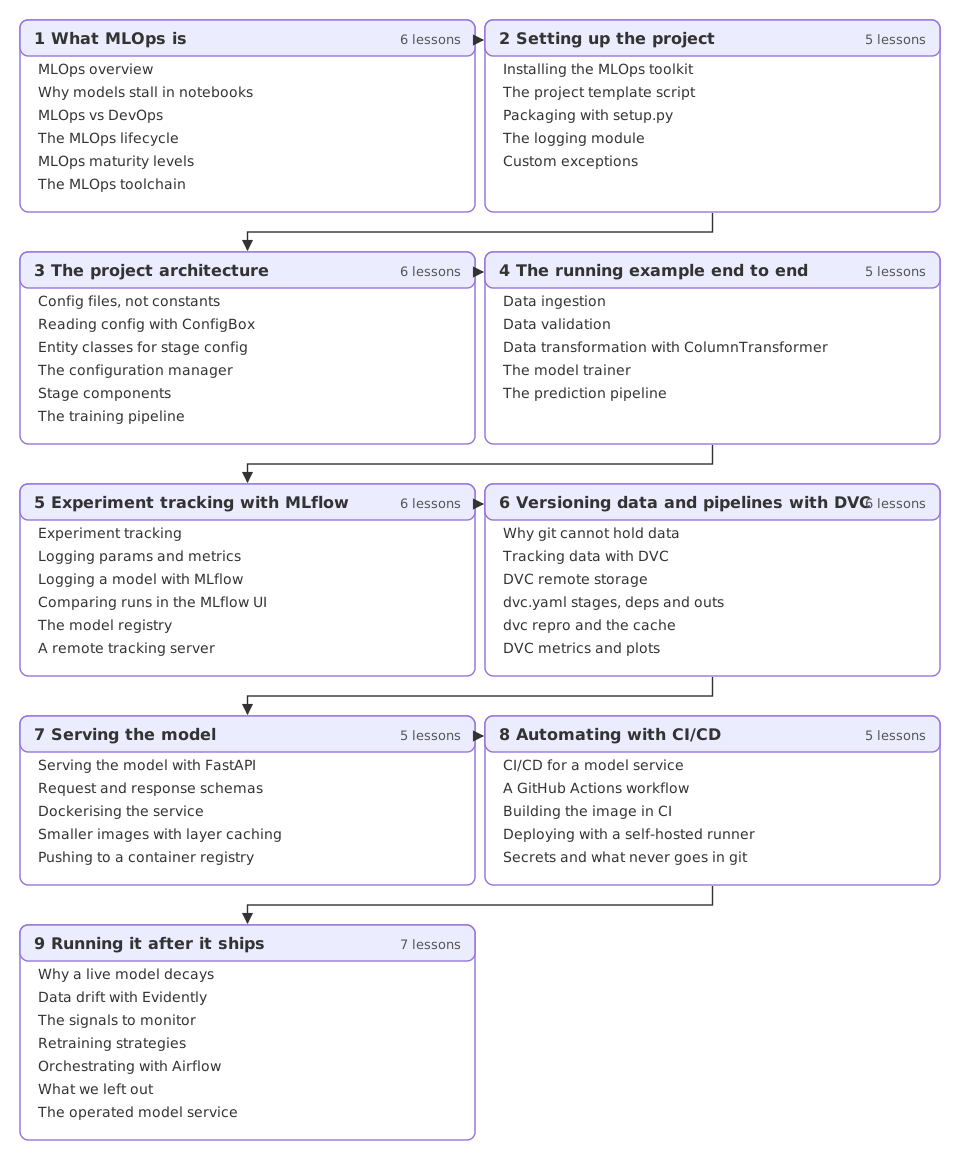
The nine parts
Who this course is for
- A data scientist whose models stop at the notebook, who wants the path from a fitted model to a service someone else can call.
- A software or DevOps engineer moving onto a model team, who knows CI/CD and containers and needs the parts that are specific to models: experiment tracking, data versioning, drift and retraining.
- Anyone preparing for a machine learning engineer interview, where the end-to-end project is the question, and the structure of the project is most of the answer.
What to know first
- Python, including classes and imports, because the project is written as modules rather than cells.
- One trained model: fit, predict and a metric. The Machine Learning course covers that ground if you need it.
- Git basics help, since the project lives in a repository from the first lesson of the next part. The Git and GitHub course covers them.
- No cloud account, no API key and no GPU. Every runnable lesson works on a laptop. Where a cloud step cannot be run without spending money, the page shows the commands and the output the provider's own documentation gives, and says so.
What you will be able to do
- Explain the MLOps lifecycle and place a team on the maturity levels
- Structure a model project as config, entities, components and pipelines
- Track experiments, compare runs and register a model with MLflow
- Version data and reproduce a pipeline with DVC
- Serve a model as a FastAPI service and ship it in a Docker image
- Automate test, build and deploy with GitHub Actions and handle secrets
- Detect data and target drift and choose a retraining strategy
How a lesson reads
- A definition first, then why the thing exists, then the build in small pieces with a comment on each piece.
- Code you can paste. Every runnable block was run on the pinned versions in the install lesson, and its output is what that run printed.
- The current library, not the one in the video. MLflow, Evidently, Airflow and scikit-learn have all changed since the videos were recorded. Each lesson follows the release it pins and names what moved.
- An ending you can change: two or three small edits to try, so the next run is yours rather than a copy.
The videos and their repositories
This course is assembled from the channel's MLOps and end-to-end project videos. The two that carry the most weight, and the repositories they build, are worth keeping open alongside the lessons:
- Complete End to End Deep Learning Project With MLflow, DVC and Deployment, and its repository Kidney-Disease-Classification-Deep-Learning-Project, which is where the project architecture comes from.
- The end-to-end machine learning project series, and its repository mlproject, which is where the student-performance dataset and the setup.py, logging and exception pattern come from.
- MLOps GitHub Actions With CI/CD Pipeline In One Shot, the newest CI/CD teaching on the channel, which the automation part follows.
Related
- Next: Why models stall in notebooks
- See also: LLMOps overview
- Reference: MLflow documentation
Every expert started right here.